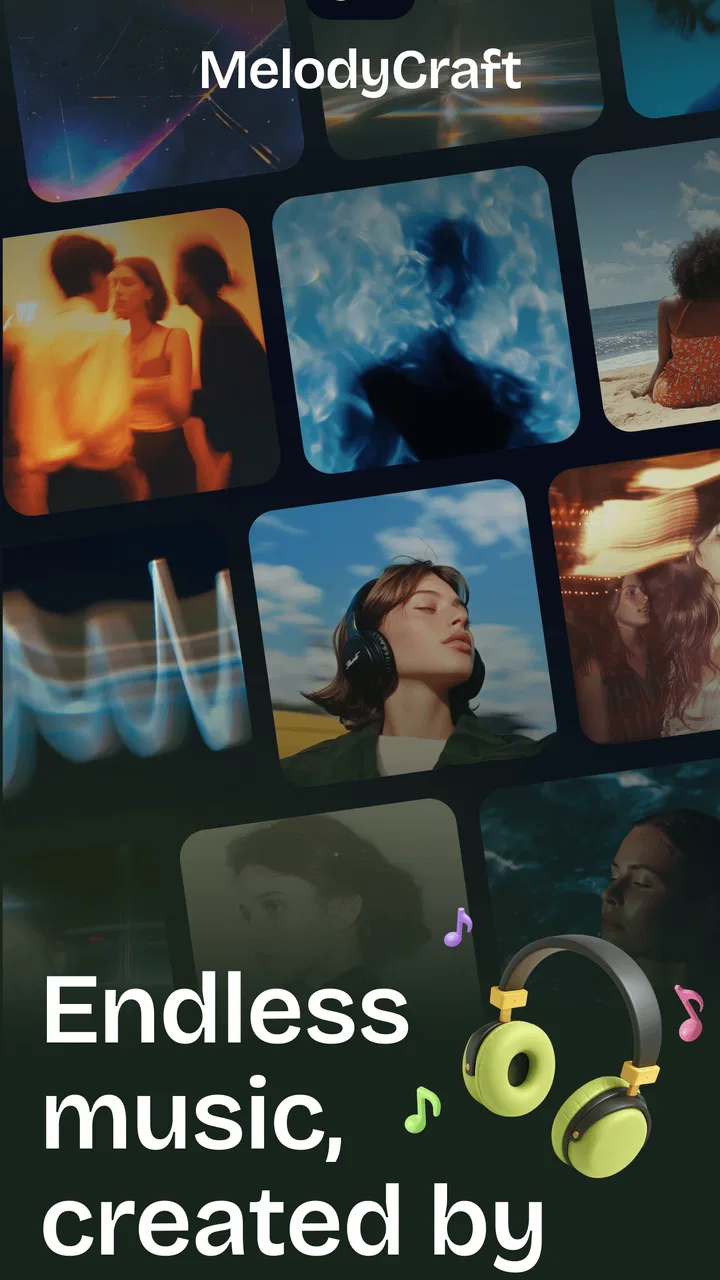
MelodyCraft - AI Music Maker
- 4.5
- Rating
- 100.00K
- Installs
- Free
- Price

 Analysis by App-foxy
I tried MelodyCraft as a quick way to turn a musical idea into something I could actually hear, rather than leaving it as a half-formed tune in my head. It is an AI music-making app from Meta Innovation, aimed at people who want to experiment on a phone without first learning a full desktop production setup. My first impression was that its appeal is less about replacing a professional workstation and more about reducing the distance between “I have an idea” and “I have a rough musical result.”
That distinction matters. If you want detailed control over every instrument, recording input, edit point, and final mix, a traditional digital audio workstation remains the better fit. If you want to explore moods, sketches, and starting points while travelling or away from a computer, MelodyCraft feels much more approachable. It is free to begin, rated for Everyone, and available for devices running Android 7.0 or later, which makes it accessible to a broad range of users.
How MelodyCraft feels when the network is part of the workflow
The most important thing to understand is that an AI music app is not the same as a simple offline piano or drum machine. The experience depends on sending an idea through a process that produces a result, so the quality of your connection can shape how smoothly the session feels. When I use an app like this, I do not think only about the creative controls; I also think about whether I have a reliable connection before starting a serious session.
You May Also Like

 AccuWeather: Weather Radar
AccuWeather Review: A Quick, Clear Forecast for Everyday Decisions
For everyday plans, the best forecast is the one you can understand quickly. AccuWeather makes rain timing, radar, and local conditions easy to act on, with a few trade-offs.

 Hill Climb Racing
Why Hill Climb Racing Still Turns Crashes Into One More Run
A tiny car, a bumpy hill and one more upgrade: Hill Climb Racing keeps resurfacing because its simple chaos makes every near-miss feel personal.

 AliExpress - Shopping App
AliExpress Makes Global Shopping Feel Personal, but Shoppers Bear the Risk
AliExpress turns a global marketplace into a pocket-sized discovery engine. Its reach is useful, its shopping loop compelling, and its trade-offs easy to miss.

 Lords Mobile: Kingdom Wars
Lords Mobile Is a Kingdom-Building Routine, Not a Quick Match
A case-by-case verdict on the building, battles, device demands, and social commitments that make Lords Mobile rewarding for some players and exhausting for others.

 PDF Scanner app - TapScanner
TapScanner Makes Paperwork Easier to Capture, Check, and Share
TapScanner makes scanning with a phone feel less like a rescue operation and more like a dependable step in getting work done. Its capture tools are useful, though not flawless.

 Block Blast!
 Shows How Much a Puzzle Game Can Leave Out
A quiet grid game shows why puzzle players increasingly value instant clarity, repeatable skill and low-pressure play—and where the genre still needs to catch up.
More From Our News Desk
View All News


That is especially relevant when inspiration arrives unexpectedly. A short idea during a commute, in a café, or while waiting for an appointment can be valuable, but it is also the kind of moment when connectivity may be inconsistent. I would treat MelodyCraft as a connected creative tool and begin important work only when the network is behaving reliably. That simple habit prevents a promising idea from becoming frustrating because a request takes too long or a result does not appear when expected.
The practical lesson is to separate idea capture from final production. Use the app to explore a direction, compare musical possibilities, and keep your creative momentum moving. Then, when you have a stable connection and more time, return to the strongest idea and develop it further. This approach makes the app feel less like a complete studio and more like a fast sketchbook with AI assistance.
Why short sessions work better than ambitious ones
I found the mobile format most convincing when I approached it with a narrow goal. Instead of trying to create an entire finished track in one sitting, I would focus on a mood, a scene, or a small musical identity. A request such as wanting something calm for a personal video or energetic for a workout gives the process a clear direction. The narrower the creative question, the easier it is to judge whether the result is useful.
This is also a good way to manage network interruptions. A compact experiment is easier to repeat if the connection drops than a long session involving many dependent steps. It keeps the emotional cost of failure low. If one attempt does not work, I can adjust the idea and try again instead of feeling that an entire composition has disappeared.
MelodyCraft is therefore a strong match for casual creators, students, video makers, podcasters, and curious musicians who want musical material without opening a complex production environment. It is less suitable for someone who expects precise studio editing or who needs a dependable tool for a live performance situation where a connection problem would be unacceptable.
Using it in real mobile situations
The best everyday scenario for me is a short creative break. Imagine preparing a small video for a family event, a social post, or a personal project and realizing that the visual idea needs a musical atmosphere. Rather than searching through unrelated tracks, I would use MelodyCraft to explore a sound that matches the feeling I want. The value is not necessarily a perfect final soundtrack; it is the speed of moving from a vague description to something concrete enough to evaluate.
Another useful situation is songwriting preparation. I might have a lyric fragment or a general emotional direction but no arrangement in mind. An AI-generated musical idea can act as a prompt for my own thinking. I can notice what works, reject what feels wrong, and use that reaction to clarify the song I actually want. This is one of the more interesting uses because the app can be helpful even when I do not keep the first result.
There is a trade-off, though. Mobile convenience encourages quick decisions, while music often benefits from patience. A phone screen is excellent for trying ideas, but it is not automatically the best place to inspect subtle arrangement choices or make careful finishing decisions. I would avoid judging a piece solely through a rushed listening session with background noise around me. The app makes experimentation easier; it does not remove the need for thoughtful listening.
What to do before starting a mobile session
I recommend deciding the purpose of the session before opening the app. If I am looking for background music, I think about the length and emotional role first. If I am exploring a song idea, I focus on the musical character rather than demanding a polished master immediately. This small preparation makes the generated output easier to assess and stops the session from turning into random prompt changes.
I also keep a simple record of the ideas I like. That might be a note describing the mood, the wording I used, and why a particular result stood out. With AI-assisted creativity, the most useful result is sometimes not the audio itself but the discovery of a direction. Writing down that direction helps me reproduce the creative intent later instead of relying on memory.
For people using older Android phones, the minimum requirement of Android 7.0 is reassuring, but compatibility alone does not guarantee an equally comfortable experience on every device. Screen size, available storage, battery condition, and network quality can all affect how pleasant a creative session feels. I would test the app during a low-pressure session before depending on it for a deadline.
What happens when something goes wrong
Connected creative tools can fail in ways that are not immediately obvious. A request may take longer than expected, a result may not match the intention, or the app may need to be reopened after an interruption. The important question is not whether every attempt succeeds; it is whether the workflow makes recovery simple enough that I can continue without losing confidence.
My preferred recovery method is deliberately conservative. I start with a shorter, clearer idea rather than immediately adding more detail. If the first result is weak, I change one aspect at a time: perhaps the mood, the energy, or the intended use. Changing everything at once makes it impossible to know what improved the result and can waste both time and network activity.
When a connection interruption occurs, I would first check whether the request actually completed before submitting it again. Repeating an action too quickly can create confusion, especially if the first result appears later. Closing and reopening a session may be useful when the interface stops responding, but I would avoid assuming that an unfinished attempt has been saved unless the app clearly shows it. That is a general precaution worth following with any connected music tool.
A second kind of failure is creative rather than technical: the output may be perfectly listenable but still wrong for the project. This is where human judgment matters most. AI can provide a direction, but it cannot decide whether the music truly fits your audience, timing, message, or personal taste. I would not treat a polished-sounding result as automatically usable.
Recovering a good idea without overworking it
One non-obvious advantage of an AI sketching workflow is that a disappointing result can still reveal useful information. Maybe the tempo feels right but the mood is too bright. Maybe the atmosphere works but the musical movement is too busy. Instead of discarding the entire attempt, I would identify the one quality worth preserving and rebuild around that observation.
This mindset also protects against endless retries. More generations do not always mean better music. If I keep requesting alternatives without a clear comparison method, I can end up with many vaguely similar ideas and no decision. I get more value by choosing a small set of candidates and asking which one best serves the original purpose.
Managing data, cost, and expectations
Because the app is free to use, it is easy to start experimenting immediately. However, the presence of in-app purchases ranging from $1.99 to $99.99 per item means I would pay attention to any purchase screen before confirming an upgrade or extra capability. The wide range suggests that optional spending can vary considerably, so I would decide in advance what the app is worth to me rather than buying impulsively during an exciting creative session.
Network-conscious use is sensible even when the financial side is not a concern. Repeatedly generating alternatives can consume more data and battery than a short listening session. On a limited mobile plan, I would reserve larger experiments for a trusted connection and use mobile data selectively. I would also avoid treating every small variation as necessary; a focused creative brief usually produces a more manageable session than constant trial and error.
There is another reason to be careful with data use: creative work often involves repetition. A person making music for several videos may run many experiments before finding a suitable direction. The cost is not just one request but the accumulation of requests across a project. Keeping a written shortlist of successful approaches can reduce unnecessary reruns and make future sessions more efficient.
The app’s rating of 4.5 from around 12 thousand ratings indicates that many users have responded positively, while its install count of over 100 thousand shows that it has reached a meaningful audience. I see those figures as signs of interest, not a guarantee that it will suit every workflow. Music taste is personal, and an app can be technically impressive yet still produce results that do not fit the sound a particular creator wants.
Where the free entry point helps, and where it may not
The free starting point lowers the risk of trying the app for casual projects. I can imagine recommending it to a friend who wants to explore AI music without committing to a traditional subscription-based production environment immediately. It is also a reasonable way to discover whether this style of creation feels natural before investing more time.
On the other hand, anyone planning frequent or commercial use should inspect the available purchase choices carefully and consider how often they expect to generate music. The most expensive optional item is not automatically good value for every listener. If I only need occasional inspiration, the free entry point may be enough. If I need repeatable, controlled production for many projects, I would compare the total cost and workflow against a conventional music app before deciding.
Privacy and rights are also worth considering in a practical way whenever music is created through an online service. Before publishing an important project, I would read the app’s current terms and any licensing information presented inside the product. That is not a criticism of MelodyCraft specifically; it is simply good practice when generated audio may be used beyond personal experimentation.
How it compares with familiar music apps
Compared with a basic music player, MelodyCraft is obviously more active: it is designed to help create musical material rather than only organize or play existing tracks. Compared with a loop-based beat maker, its attraction is the possibility of reaching a broader musical idea without manually assembling every small part first. That can be liberating for beginners who feel blocked by a blank timeline.
Traditional recording apps still have important advantages. They are usually better when I already know the exact chord progression, want to record an instrument, or need detailed control over timing and arrangement. A conventional workstation gives me a more predictable relationship between an action and its result. MelodyCraft is more exploratory, which is useful for discovery but less ideal when precision is the main objective.
Human collaboration is different again. A musician can respond to subtle feedback, understand a personal reference, and make expressive choices that are difficult to describe in a short instruction. MelodyCraft can help me generate a starting point, but it does not replace the communication and interpretation that happen when people create together.
For that reason, I see the app working best alongside other tools rather than in competition with all of them. I might use it for the first spark, a traditional editor for structure and timing, and human feedback for the final decision. That combination respects what the app does well without asking it to become a complete studio.
Who should try it first
I would recommend MelodyCraft to a curious beginner who wants immediate musical feedback, a content creator who needs ideas for short projects, or a songwriter looking for unexpected starting points. It also makes sense for someone who enjoys experimenting in small bursts and is comfortable refining the best ideas elsewhere.
I would suggest skipping it, or at least treating it as a secondary tool, if you need guaranteed access during a performance, require detailed engineering controls, or dislike the uncertainty of AI-generated results. A professional producer with an established desktop workflow may find the phone format too limited for serious finishing work. Likewise, someone on a very restricted connection should plan sessions carefully rather than expecting a seamless experience everywhere.
The current release, version 1.14.4, gives the app a clear, identifiable starting point for anyone deciding whether to test it. Since it was released on Jul 23, 2025, I would still keep expectations realistic: an app in this space can change as its tools and policies evolve, so I would review the current in-app details before building a long-term production routine around it.
My final view on connected creativity
MelodyCraft is most convincing as a mobile idea generator, not as a replacement for a full music studio. I like the way it can make a vague musical thought easier to examine, especially when I have only a phone and a few minutes. Its free access, Everyone age rating, and broad Android compatibility make it approachable, while the AI focus gives beginners a faster path into experimentation than many traditional tools provide.
The network connection is central to how I would use it. I would choose a stable connection for important sessions, avoid unnecessary repeated generations, and keep my own notes about the ideas that matter. If an attempt fails, I would simplify the request and change one variable at a time rather than treating every problem as a reason to start over.
My recommendation is therefore specific: try it if you want musical sparks, rough atmospheres, or a friendly way to explore possibilities on mobile. Do not choose it as your only tool if your work depends on exact editing, offline reliability, live performance confidence, or deeply controlled mixing. For the right user, MelodyCraft turns spare moments into useful creative experiments. For me, that is its real strength: not finishing every song, but helping the next idea arrive.
FAQs for MelodyCraft - AI Music Maker
01What is MelodyCraft - AI Music Maker?
MelodyCraft - AI Music Maker is an innovative application designed to assist users in creating music using artificial intelligence. It provides a user-friendly interface where both beginners and experienced musicians can compose melodies, harmonize tracks, and experiment with various musical elements to craft unique pieces.
02Is MelodyCraft suitable for beginners?
Yes, MelodyCraft is perfect for beginners, offering intuitive tools and guided tutorials to help users understand the basics of music creation. The AI features assist in generating melodies and harmonies, allowing novices to create professional-sounding tracks without extensive musical knowledge.
03What features does MelodyCraft offer?
MelodyCraft includes a wide range of features such as AI-generated melodies, customizable instruments, real-time collaboration, and a library of loops and samples. Users can also export their creations in various formats and share them directly to social platforms or other devices.
04Are there any in-app purchases or subscriptions?
MelodyCraft offers a free version with basic features, but for advanced functionalities, users can opt for in-app purchases or a subscription model. These include access to premium samples, additional instruments, and exclusive AI tools that enhance the music-making experience.
05Does MelodyCraft require an internet connection?
While some features of MelodyCraft, like cloud collaboration and downloading new samples, require an internet connection, the core music-making tools can be used offline. This allows users to create music anytime, anywhere without worrying about connectivity.
Pros
- Easy-to-use interface for beginners.
- Wide variety of music styles available.
- AI-generated suggestions enhance creativity.
- Offline mode supports music creation anywhere.
- Regular updates with new features and sounds.
Cons
- Limited export options in free version.
- Requires significant storage space.
- Occasional glitches in AI suggestions.
- Subscription needed for premium features.
- In-app ads can be disruptive.

MelodyCraft - AI Music Maker
Gallery